
 EN
EN NL
NL DE
DE IT
IT FR
FR Think differently, think refurbished.
Buy a laptop docking station? Best price and 2 year warranty!
Written on 8 June 2026, last updated on 26 July 2026
In short
A laptop docking station connects your laptop with a single cable to multiple monitors, peripherals and the network. Most modern docks work through USB-C or Thunderbolt.
When buying, look at your laptop's connection type and at the number of ports you need. At DSL Tech you buy docking stations for laptops with a 2 year warranty.
- USB-C and Thunderbolt docks for most laptops
- Connect multiple monitors, USB-A and HDMI
- HP, Dell and Lenovo docking stations
- Best price and a 2 year warranty
Contents
- What is a laptop docking station?
- The benefits of a docking station
- Docking stations for home and office
- USB-C docking stations and Thunderbolt
- Connections: HDMI, USB-A and more
- Connecting multiple monitors
- HP, Dell and Lenovo docking stations
- DisplayLink dock: for almost any laptop
- Is your laptop suitable for a dock?
- Which docking station do you choose?
- Buying a laptop docking station at DSL Tech
- Frequently asked questions
- Sources
Do you work with one laptop, but want the comfort of a fixed workspace? Then a laptop docking station is the answer.
With a dock you connect all your devices in one move. In this article you read how a docking station works and which one to choose.
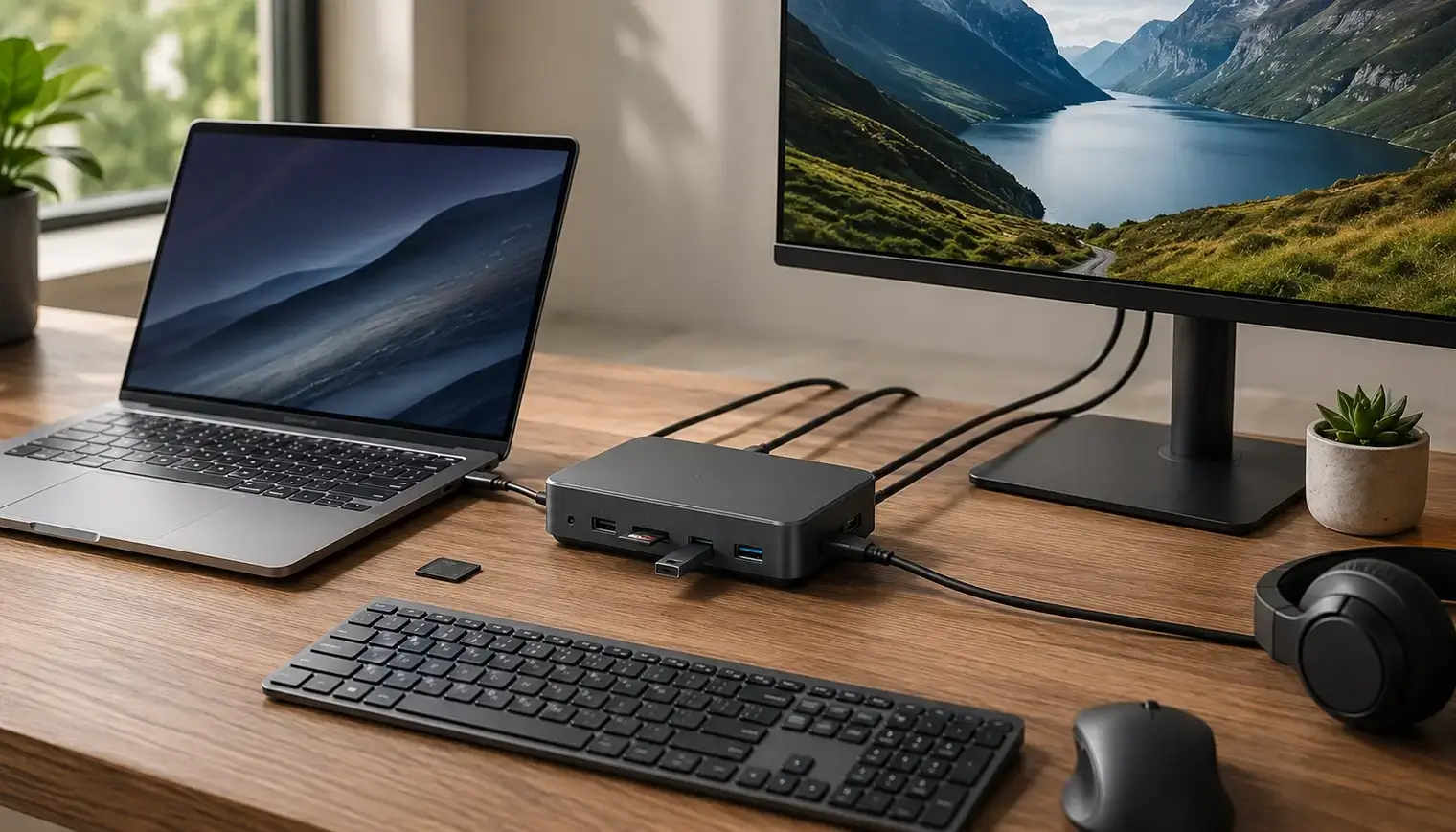
What is a laptop docking station?
A docking station is a device that connects your laptop with a single cable to monitors, a keyboard, a mouse and more. That way all your peripherals work right away.
From that moment your laptop turns into a full workstation. You connect displays, peripherals and the network in one go.
Docking stations mainly offer convenience and connectivity. You do not have to plug separate cables into your laptop every morning.
The main connection on modern docks is usually USB-C or Thunderbolt. Both the video and the data run through that one port.
The benefits of a docking station
A docking station mainly saves you time and hassle. Your laptop is ready to use with a single cable.
You no longer have to look for and connect separate cables. That saves a few minutes every morning.
Your desk stays tidy too. All cables run to the dock instead of to your laptop.
You connect multiple devices in one go. Think of monitors, a keyboard, a mouse and the network.
Some docks even work with tablets. That way you also turn a small device into a complete workspace.
A dock also protects the ports of your laptop. You plug the cables into the dock each time, not into your laptop itself.
In short, docking stations offer convenience, overview and more connectivity. Exactly what you want for daily work.
Docking stations for home and office
A docking station is ideal for a fixed workspace. At home and at the office you quickly get a complete desk.
At the office several people often work on one dock. Everyone clicks their own laptop onto it and can get started right away.
For working from home a dock is just as handy. You connect your laptop and work with large monitors and a real keyboard.
Going to a meeting? Then you only take your laptop. The dock and the peripherals simply stay on your desk.
That way you combine the best of both worlds. The freedom of a laptop and the comfort of a fixed workspace.
USB-C docking stations and Thunderbolt
Most laptop docking stations work through USB-C. That has become the standard for modern laptops.
Thunderbolt 4 goes a step further. This connection reaches up to 40 Gbps and drives multiple monitors effortlessly.
"Thunderbolt 4 delivers 40 Gbps and supports two 4K displays," Intel says about the standard. So you have enough bandwidth for a complete workspace.
The type of USB C on your laptop decides what is possible. Not every USB C port supports video and power.
How to tell from the markings next to a port what it can do is explained in recognising USB types.
A USB-C docking station usually also provides power. That way you charge your laptop through the same single cable you connect with.
Connections: HDMI, USB-A and more
A good docking station has the connections you need. Think of HDMI, DisplayPort, USB-A and a network port.
First look at the video outputs. An HDMI port and a DisplayPort let you connect your monitors.
Also mind the number of USB ports. With enough USB-A and USB-C ports you connect all your peripherals and external devices.
A network port is handy for a stable connection. That way you work with a fixed cable instead of wifi.
More connection options means more freedom. The BlueBuilt 8-in-1 HDMI docking station is an example, with many connectivity options in one device.
Connecting multiple monitors
With a docking station you connect one or multiple monitors to your laptop. That often happens in sharp 4K.
Working with multiple monitors makes you more productive. You keep more windows in view at once and switch faster.
According to often cited research by Jon Peddie Research, an extra screen can raise productivity by tens of percent. For office work that is a big difference.
A dock often drives two displays at once. Do check whether your laptop supports that through the dock.
For a sharp image choose a dock with 4K support. That keeps text and image razor sharp on large monitors.
HP, Dell and Lenovo docking stations
HP, Dell and Lenovo docking stations are made for their own laptops. Still, they often work with other brands too.
HP docking stations fit HP laptops seamlessly. A well known example is the HP USB-C G5 docking station.
The USB C G5 docking station delivers video, data and power through one port. That way you work at a tidy workspace right away.
Dell docking stations are popular with Dell laptops. Lenovo docking stations also offer a reliable link with multiple devices.
Doubting about compatibility? A universal USB-C model often works with an HP laptop, a Dell laptop and more.
DisplayLink dock: for almost any laptop
A DisplayLink dock uses software to send the video. That makes it compatible with almost any laptop.
Not every laptop supports video through USB-C. A DisplayLink dock solves that with a driver.
That way you still connect multiple monitors, even on an older laptop. It also works on most operating systems.
DisplayLink is ideal when you want to use different laptops on one dock. Think of a shared workspace at the office.
DisplayLink does ask a little more from your processor. For regular office work you notice little of that in practice.
Is your laptop suitable for a dock?
Whether your laptop is suitable for a dock depends on the main connection. What matters is whether the USB C port supports video and power.
First look at the type of USB C on your laptop. If the port supports DisplayPort and power, almost any dock works.
Does your laptop only have older USB-A? Then choose a DisplayLink dock that works through USB.
A Windows laptop and a MacBook both work with most docks. Do check compatibility per model.
Still doubting? Have a look at the docking stations we offer, because each model lists which laptop is suitable.
Which docking station do you choose?
You choose a docking station based on your connection, the number of ports and the number of monitors you use. That way you buy exactly what you need.
First decide how many monitors you want to connect. One screen asks for less than two 4K displays.
Then count your peripherals. That tells you how many USB ports and which type you need.
Want to be future proof? Then choose Thunderbolt 4. That offers the most connectivity and speed.
For most people a good USB-C docking station is enough. It combines a sharp price with a lot of convenience.
Buying a laptop docking station at DSL Tech
At DSL Tech you buy a laptop docking station for the best price. Every model comes with a 2 year warranty.
In our range you find docking stations for laptops of different brands. So there is always a model that suits you.
Refurbished docking stations are a smart, affordable choice too. They are tested and work like new again.
You get a 2 year warranty on your docking station. That way you buy with peace of mind, even with a second hand model.
Doubting between models? Then compare the connections and the number of ports. Ready for a new laptop? Then also look at our Windows 11 laptops.
Frequently asked questions
What does a laptop docking station do?
A laptop docking station connects your laptop with a single cable to monitors, keyboard, mouse, network and other peripherals. That turns your laptop into a full workstation without plugging in separate cables every time. Most docks use USB-C or Thunderbolt for this.
Which docking station suits my laptop?
That depends on your laptop's main connection. If the USB C port supports video and power, almost any USB-C docking station works. If your laptop does not have that, choose a DisplayLink dock that works through software and is compatible with almost any laptop.
Can I connect multiple monitors with a docking station?
Yes. Many docking stations drive two displays at once, often in sharp 4K. Do check whether your laptop supports that through the dock. If you definitely want to drive multiple monitors, choose Thunderbolt 4 or a DisplayLink dock.
Does a docking station work with a MacBook?
Yes, a MacBook works with most USB-C and Thunderbolt docks. To drive extra monitors on a MacBook, a DisplayLink dock is often the safest choice. Always check compatibility per model.
Sources
About the Author
Curious about the author behind this article?

Angelo van Cleef is a senior developer and IT specialist with over 23 years of experience at DSL Tech, focusing on development and marketing. Previously, he worked at large companies on long-term projects that spanned several years. In his spare time, Angelo enjoys fitness, hiking, and exploring new world cuisines.
We value your privacy
You decide which cookies we may use
We and our partners use cookies to keep the site running smoothly, understand how it's used, and show you offers that match your interests. We need your permission for some of these.
- A faster, smoother experience on dsl-tech.nl
- Offers and products that match your interests
- You can change your choice at any time
We never sell your data. Read our Privacy policy for more information.