
 EN
EN NL
NL DE
DE IT
IT Think differently, think refurbished.
Buy a refurbished gaming laptop
Refurbished laptops that are fit for gaming: business workstations with NVIDIA RTX, Intel Core i7 or i9 and fast memory, for a fraction of the new price. Every device is checked on more than 30 points and comes with a 2-year warranty.
34 results
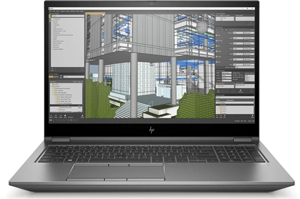


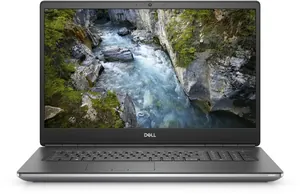


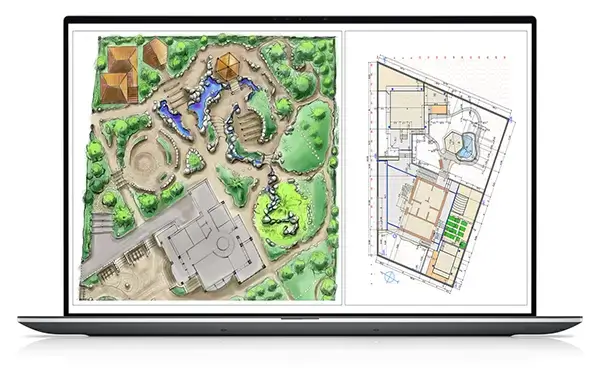

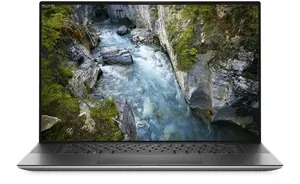


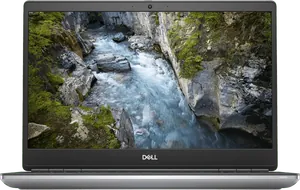
Our gaming laptops are business workstations with a professional NVIDIA RTX card: the A2000, A3000, A4000, A4500 and the Quadro RTX 3000, 4000 and 5000. The same silicon as a GeForce, built for rendering and CAD, and therefore perfectly capable of running games. Every device is checked on more than 30 points and comes with a 2-year warranty.
- Professional NVIDIA RTX cards, not entry-level chips
- Intel Core i7 or i9, 16 to 64 GB of memory
- Built for eight hours at full load a day, not for a weekend
- Windows 11 Pro, 2-year warranty and 30 days to change your mind
You render, model or edit
You work in SolidWorks, Blender, AutoCAD or Premiere, and you game at the weekend.
A card that does not throttle when a render takes an hour, and 32 GB of memory or more.
The heavy machines above: Precision 7000 series and ZBook Fury, with an A4500 or RTX 5000.
You want to game at home
You play at 1920 by 1080 and would rather not spend more than a few hundred euros.
A dedicated graphics card, enough to play smoothly without pushing every setting to ultra.
Filter by price above and look at the RTX A2000: the cheapest card on the list, and enough for 1920 by 1080.
Why does it say RTX A2000 and not RTX 4060?
NVIDIA builds two ranges on the same technology. GeForce is the consumer line, with numbers like 3050, 4060 and 4090. The RTX A series and the older Quadro RTX are the professional line, and they go into workstations from Dell, HP and Lenovo. We buy business laptops, so our stock consists almost entirely of that second range.
That makes the number mean something different. An RTX A2000 performs roughly like a GeForce RTX 3050 Ti, and an A4500 roughly like a 3070. So do not compare the figures but the class, and above all look at the memory on the card and in the laptop.
What you get in return: these cards are made to run at full load for days on end. The cooling in a Precision 7670 or a ZBook Fury is built for that. A consumer gaming laptop of the same age has usually had a harder life.
What should you look at in a gaming laptop?
Three things, in this order. The graphics card decides what you can play and how quickly a render finishes. The memory decides whether you can keep something else open alongside the game or the project: 16 GB is the floor, 32 GB is comfortable. Storage decides loading times, but every laptop we sell has an SSD, so that is not where the difference sits.
If you are unsure about memory, our article on memory explains what each kind of use needs. The same goes for the processor: a recent i7 is faster than a five-year-old i9.
Why buy refurbished for gaming?
A three-year-old workstation costs a fraction of its new price here, while the graphics card inside has years left. Games do get heavier, but not as fast as the price of a new laptop falls.
Every device is checked on more than 30 points, runs Windows 11 Pro and carries a 2-year warranty. On the battery we give 6 months, because that is the one part that genuinely wears out.
30+
checks per laptop
2 years
warranty
30 days
to change your mind
9.0
customer rating
Frequently asked questions
Can you really game on a refurbished workstation?
Yes. An NVIDIA RTX A2000 or A3000 runs most games smoothly at 1920 by 1080. What you should not expect is 144 frames per second on ultra in the newest titles: these cards are not built for that, and screens in business laptops usually run at 60 hertz.
What is the difference between an RTX A2000 and a GeForce RTX 3050?
Very little in raw power. They are the same chips with a different driver and a different warranty. The A series is certified for software such as SolidWorks and AutoCAD and is built to run at full load for a long time. For games that difference does not show up in practice.
How much memory do I need for gaming?
16 GB is enough for almost any game. 32 GB becomes interesting once you stream or record alongside the game, or work on heavy projects. On most of our workstations the memory can be expanded.
Is the screen any good for games?
The screens are good on colour and sharpness, because they were chosen for design work. The refresh rate is usually 60 hertz, sometimes 120. If you play competitively and want 144 hertz, an external monitor is the better answer.
Do I get a warranty on a refurbished gaming laptop?
Two years on the device and six months on the battery. You also have 30 days to change your mind, and returning it costs you nothing.